








Corporate Presentations: All You Need to Know [+Examples]
- You always get definite results when you stick to a clear message and straightforward structure.
- Your slides will be easier to follow and more credible in business settings if they are well-planned, have clear graphics, and tell a straightforward story.
- Selecting the best strategy for your audience and objectives is made easier when you are aware of the primary presentation types and design principles.
- When your deck appears well-maintained, polished, and prepared for any space, you feel more confident.
Corporate presentations can feel tough when you are trying to explain big ideas in a clean and simple way. You may worry that your slides look crowded or that your message gets lost. Well, you are not alone. Many professionals deal with the same problem. The good news is that you can fix it. The smart automation of an AI presentation generator can help you the right way.
This guide walks you through what strong corporate presentations look like and how you can instantly generate them with less stress. You will find clear steps, corporate presentation design tips, and real examples that make the whole process easier.
What Is a Corporate Presentation?

A corporate presentation is a tool that helps a business share its identity, goals, or ideas in a clear way. You use slides, charts, and simple visuals to guide your audience through the points that matter most. It works for many settings. You can use it when you talk to your team, pitch a plan, or speak with partners and investors.
Many people rely on slides every day. A BBC report notes that about 30 million PowerPoint presentations are created daily at work.
A strong corporate presentation keeps information organized. So, people understand your message without feeling lost. It gives your audience a clear view of what you want them to know and why it matters.
What are the Types of Corporate Presentations?
When you match the right format with your goal, your presentations become clearer and more engaging. Good sales decks help you keep a steady flow, add visual interest, and stay focused on your important points.
Here are important types of presentations:
Company Overviews
A company overview gives people a quick look at who you are and what you do. You highlight your brand identity, your services, and the value your team brings to clients. Clear charts and simple images help you communicate your story without crowding the page.
This kind of presentation works well for new partners, new hires, and public events. It sets the tone and helps the audience see your company with confidence.
Internal Updates
These are the updates that communicate progress, objectives, and next steps to your team. You can share strategic ideas, reflect data in clear graphs, and get everyone moving in the same direction.
Many teams use Google Slides or PowerPoint because they can customize slide templates fast. This type of presentation supports informed decisions because the information is organized in a simple and predictable style.
People remain attentive and find it easy to follow the message when the slides are well-designed.
Investor Updates
You can demonstrate growth, obstacles, and future plans with the help of investor updates. Clear executive summaries, financial charts, and complex data are frequently included in these presentations. You want everything to look visually appealing so that your audience can follow the numbers without confusion.
Information that helps in decision-making is necessary for investors. A consistent color scheme and powerful presentation templates help your message come across as professional.
Simple graphs, bold colors, and a clear layout help maintain focus on the outcomes and possibilities. The narrative feels more powerful when the slides have a contemporary and unified appearance.
Sales Pitches
The goal of sales decks is to motivate action. You demonstrate how your offering addresses an actual issue. To establish credibility, you emphasize advantages, back up your assertions with facts, and use imaginative corporate presentation design.
Many teams use strong sales deck design to keep attention on the solution. A good pitch presentation uses images, clear layouts, and a tight message to create maximum impact. Decision making becomes easier for people when they quickly observe value.
What are the Key Components of a Great Corporate Presentation?
An effective business presentation is straightforward, understandable, and simple. Without making extra noise, you lead your audience through your message.
These components assist in creating powerful presentations that inspire action, represent your company, and encourage well-informed choices.
- A well-defined goal: Presentation should have a single primary objective. This helps in structuring your presentation and maintaining your attention on the narrative you wish to share.
- Attention to the audience: Consider what your audience should know. Make use of illustrations, charts, or corporate presentation examples that relate to their world.
- Powerful opening: Begin with a brief hook. This attracts attention and explains the significance of your message.
- A clear framework: Maintain a straightforward layout. This helps in proceeding logically and neatly from one point to the next.
- Data Visualization: Transform complicated data into appealing graphs and pictures. People can comprehend information more quickly due to interactive elements.
- Consistency of brand: All of your slides should have the same colors, logo, and creative design. This preserves the clarity of your company’s identity and fosters trust.
- Slides that are readable: Make use of sufficient space, neat fonts, and short lines to maintain brand consistency and professional design. This facilitates scanning each slide.
- A request for action: Conclude with a clear next step. After hearing your message, you should tell people what you want them to do.
- Notes from the speaker: With strategic thinking, use brief signals or reminders to direct your delivery.
- Easily Accessible File formats: Store your deck in formats that are compatible with a variety of devices. This makes it easy for everyone to share and review.
How to Make a Corporate Presentation
A useful and catchy corporate presentation begins with a clear plan. Carefully construct each part to make your message seem natural, straightforward, and easy for your audience to understand.
These are the steps:
1. Examine Your Target Audience and Objective
Spend time to know the person you are talking to and their top concerns. Consider their requirements, degree of expertise, and desired result. You should have a single well-defined objective that directs you.
2. Establish a Strict Framework and Schedule
Arrange your primary ideas in an easy-to-follow sequence. People never feel lost or confused when you maintain a steady flow. Give them a brief agenda that outlines the precise direction of the presentation.
3. Create a Convincing Story
Convey your message as a relatable and authentic tale. Illustrate the issue that your audience is facing and the actions that can help them solve it. Conclude with an outcome that seems feasible.
4. Create or Select a Visual System
Select corporate presentation designs or presentation templates based on your personal preferences and business presentation topic. To ensure that nothing detracts from your main points, maintain a clean appearance in slide designs. For the maximum impact on each slide, employ layouts that make your message stand out.
5. Turn Data into Clear Visuals with Interactive Elements
Transform complicated numerical data into easily comprehensible charts or graphs. To make it easy for viewers to understand, keep your visuals simple. Icons and pictures should only be used when they truly add value.
6. Use Style Guidelines for Brand Identity
Adhere to your company’s color scheme, typefaces, and logo guidelines. Maintain your brand voice throughout each slide. To make a business presentation seem professional, make sure the style reflects brand consistency from start to finish.
7. Use Short Text for Business Presentation Templates
On each slide, only include the most important details. Use brief sentences so that readers can scan them quickly and concentrate on your voice. Avoid overcrowding your message with visual elements.
8. Create the Supporting Materials for the Maximum Impact
Write unambiguous hints that support your ability to speak steadily and calmly. To provide the audience with what they require, gather any files or documents that support your argument.
Corporate Presentation Design Tips

Strong visuals help people trust your message. Always keep your slides clean and steady so your audience stays focused. These simple corporate presentation tips will help you build engaging presentations that feel clear and credible.
Use a Consistent Visual System
Stick to a consistent style throughout your business presentation. Use the same brand fonts, colors, and innovative layouts to maintain efficiency. Remember, a unified concept helps the audience understand your message.
Prioritize Legibility and Hierarchy
Select clear fonts and simple sizes that people can read fast. Place the most important points at the top. Guide the eye so viewers know what to look at first. The 5 5 5 rule in presentations is a handy way to keep text minimal and easy to scan.
Keep Charts Simple and Annotated
Share charts with only the most important details to make it memorable. Label key points so that people know what they are seeing right away. Avoid extra shapes or colors that distract from the key info.
Limit Slide Count and Stick to the Purpose
Create slides you truly need. Stay close to your main goal and remove anything that feels extra. Keep the deck tight so your message stays strong throughout.
How to Deliver a Corporate Presentation Effectively?
Delivery is part of the whole package. You may have strong slides, but your voice, pace, and confidence bring the message to life.
These simple strategies help you stay steady and clear.
Open With a Clear Hook and Outcome
Start with one short line that grabs attention. Tell people what they can expect to learn. Set the whole scene so that readers can expect everything in advance.
Pace and Timing Control
Speak at a calm pace. Never rush into finishing things. You should feel comfortable and controlled while presenting.
Use Tech Checks and Backups
Test your slides, audio, and screen before you begin. Keep a backup file ready in case something goes wrong during the business presentation.
Use Notes But Speak Conversationally
Look at notes only when you need a quick hint. Keep your tone natural so that it feels like a real conversation, not a written speech.
Handle Q and A with Structure
Listen to each question carefully before answering. Repeat the question for the room and give a short and clear reply that stays on topic.
Successful Corporate Presentation Examples (Decksy Redesigns)
Here you can look at real case-style redesigns where our AI instantly improved clarity, visuals, creativity, and flow. Each example shows how a stronger structure and clean corporate presentation designs can change the whole story.
These are the best corporate PowerPoint examples you can observe for a better understanding of how Decksy’s smart generator works.





Amazon Presentation Example
We turned a dense Amazon deck into a cleaner story with simple layouts. Our experts highlighted key points so the message felt easier to follow.
Disney Presentation Example
We updated Disney slides with a brighter visual system. Our team used steady layouts. As a result, the brand voice stayed clear across the full deck.
Tesla Presentation Example
Decksy simplified complicated data and used bold visuals to keep Tesla’s message sharp. We organized the flow to make each idea stronger and more direct.
Netflix Presentation Example
Our professionals rebuilt a crowded Netflix deck with cleaner spacing and tighter text. We used visual signs to guide people through each part of the story.
Accenture Presentation Example
We refreshed Accenture’s presentation with modern layouts and a steady color style. Our strategists shaped the content into a smoother sequence. This was easier for busy audiences to scan and understand.
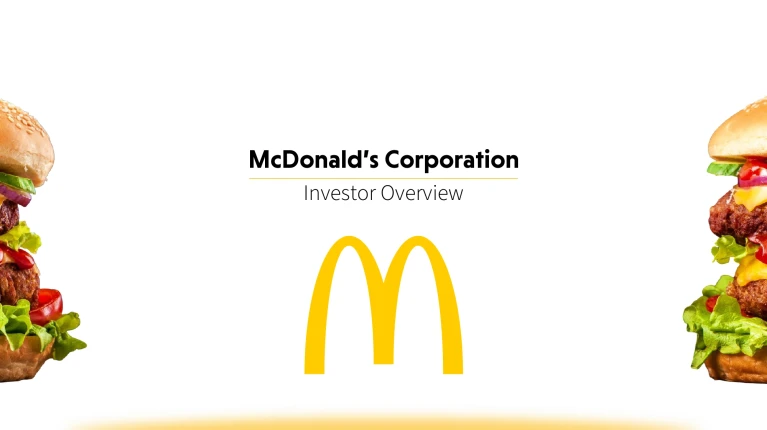
McDonald’s Presentation Example
Decksy redesigned McDonalds slides with simple graphics and a clear message path. We reduced clutter, highlighted insights, and helped the deck feel more friendly and confident for different types of viewers.
Better Presentations, Made Easier Than Ever With Decksy
Not sure how to tackle complex presentations? Fear not, you can always count on our smart AI to take on your deck assignments. Decksy helps you shape clear stories, clean visuals, and effective presentations that feel ready for any room. Our AI engine instantly handles the corporate presentation design so you can focus on the message. Have queries regarding slide decks? Try Decksy today to instantly generate your next presentation.
FAQs
What distinguishes a corporate presentation from a standard slide deck?
The core purpose of a corporate presentation is to help in the decision-making process. Based on business objectives, it clearly conveys data, strategy, and proposals. On the contrary, the purpose of a standard slide deck or other marketing presentations isn’t that specific.
Why is strong design important in a corporate presentation?
A strong corporate presentation design is the essence of a corporate presentation. It helps the audience understand what you want to convey. Readable text, clear visuals, and clean layouts keep viewers hooked.
How branding and visual identity should be handled in a corporate deck?
If you want to maintain professionalism, then visual identity and branding should never be ignored. Brand logos, colors, and fonts should stay consistent across all your presentation slides.
How should you test and distribute the final presentation?
It is recommended to test the final corporate presentation design on devices with different screen resolutions. This is to make sure that all the media work, charts, and visuals appear fine. Generally, PDF and PowerPoint are the best formats for easy sharing.

On Decksy.com, where clarity still matters, but results matter just as much, Alyssa Johnson, Chief Revenue Officer, looks at messaging through a growth lens. She pays attention to how structure drives action, how a well-timed pause improves conversion, and how AI is reshaping all of it — without ever replacing the human instinct behind the message.