









What is the 5/5/5 Rule in PowerPoint: Tips for Audience Engagement
- 5/5/5 rule: no more than five words in one line, no more than five lines on the slide, no more than five successive text-heavy slides.
- The technique regulates the amount of information that the listener takes in while a person is speaking.
- Ideal for conference talks, educational sessions, and business/corporate presentations.
- Common mistakes are following the rule too strictly, oversimplifying complex phrases, or using it in all cases.
- The 5/5/5 rule is more about minimalism compared to the 6x6 rule and the 7x7 rule.
Slides that overwhelm their audience by packing too much text onto each screen and diluting their message are a common problem in PowerPoint presentations. A practical solution is offered by the 5/5/5 rule in PowerPoint, a guideline designed to keep the slides looking clean, readable, and focused. This approach to creating PowerPoint presentations helps in creating slides that make the audience stay focused on the core message rather than reading dense content on the screen.
This article explains the 5/5/5 rule in PowerPoint, why it improves audience engagement, and how to use it in a big presentation without sacrificing clarity. We will also review common mistakes, discuss certain slide practices, and compare this rule in PowerPoint with other presentation frameworks. For teams needing professional support, an AI presentation maker like Decksy can help instantly implement these principles effectively.
What is the 5/5/5 Rule in PowerPoint?
The 5/5/5 rule is a design guide that says PowerPoint presentations should never use more than 5 words per single line, 5 lines of text per single slide, and 5 consecutive slides with heavy text. Together, those boundaries provide a simple way to design slides that facilitate an effective presentation speech instead of being a distraction.
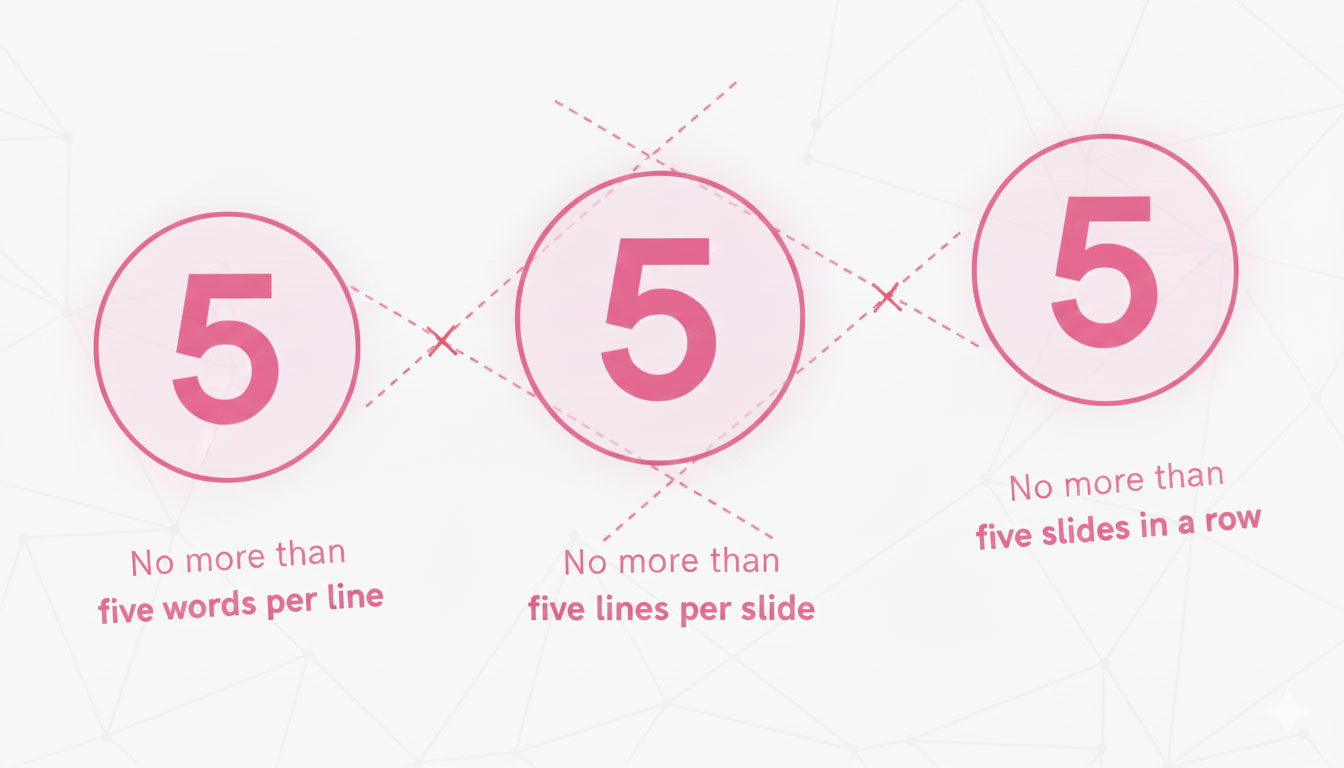
This framework emerged in response to decks overloaded with information and long sentences. It encourages structured slides that clearly and visually communicate key ideas.
5 Words per Line
This restriction to five words per single line forces presenters to edit out the filler and focus on the meaning. Instead of ‘Our company has seen significant growth in the third quarter,’ you write, ‘Q3 revenue increased 40%.’ This way you avoid having more text on the screen than an audience can process. Slides simple and engaging are easier to follow. The resulting output from this is clearer, more scannable, and allows the opportunity to give context verbally.
5 Lines per Slide
Cognitive research shows that short-term information capacity is limited. Restricting slides to five lines respects this limitation and allows people to take in the information. Each sentence becomes a visual cue rather than a paragraph, allowing most people to easily understand the message at a glance.
5 Text-Heavy Slides in a Row
Even well-designed text slides can fatigue viewers if overused. After five text-heavy slides that follow the first two rules, consider adding visuals: images, charts, graphs, or videos. Information in different forms restores audience focus, reinforces main ideas, and reduces cognitive load low. When reviewing the entire presentation, the sixth slide is often a signal to merge content or redesign the structure.
Why We Recommend Using the 5/5/5 Rule
Creating effective PowerPoint presentations is about a balance between audience attention and information delivery. When used correctly, you will reap the following benefits:
- Improves audience focus. Minimal text utilizing short bullet points keeps the audience’s attention on the narration rather than the screen.
- Decreases the cognitive load. Limit the amount of data that appears at once, putting forward only key points that matter.
- Supports clean design. Slides clean of clutter seem professional and intentional.
- Gives more freedom. With less text on screen, you can adapt your language during speech and respond naturally to the feedback.
- Decksy’s smart AI platform automatically applies professional PowerPoint template design, providing a strong foundation for implementing the 5/5/5 rule as intended without any manual formatting.
5/5/5 Rule vs Other PowerPoint Presentation Rules: A Comparison
The 5/5/5 rule in presentations is only one of the techniques for effective PowerPoint presentations. We’ll introduce you briefly to others, so that you match the structure for your specific presentation needs.
| Rule | Key Guidelines | Best For | Main Advantage |
| 5/5/5 Rule | Max 5 words per line, 5 lines on one slide, 5 slides in a row | Business presentations, pitches, general informative pitch decks | Maximum clarity, better audience focus |
| 6×6 Rule | Max 6 words per line, 6 lines on one slide | Standard business presentations | Slightly more freedom than 5/5/5 with the same readability |
| 7×7 Rule | Max 7 words per line, 7 lines on one slide | University projects, presentations on technical topics | Accommodates detailed content without stuffed slides |
| 10-20-30 Rule | 10 slides, 20 minutes, 30-point font minimum | Investor pitches, startup presentations | Enforces brevity and ensures readable text at any distance |
When to Use the 5/5/5 Rule in PowerPoint?
Reviewing PowerPoint presentation examples can help you see the rule in action in different contexts:
- Corporate presentations and small pitches for clients and executives
- Training sessions where slides must support learning without overload
- Conference talks where visibility and engagement play a huge role
- Sales and marketing presentations that prioritize message over detail
- Non-profit storytelling where emotional impact matters most
Common Mistakes the 5/5/5 Rule Helps Avoid
Beginners make mistakes when creating engaging slides with PowerPoint. By using the 5-5-5 rule, you can avoid them.
- Treating it as an absolute law – the rule offers guidance, not a rigid requirement. Some slides may require more explanation or, on the contrary, just one punchline will suffice.
- Ambiguity in meaning – Do not make text so short that it becomes confusing. If only five words do not say what you want, adjust accordingly.
- Not respecting the visual hierarchy – Poor font choices, inconsistent sizing, and/or lack of varied emphasis create jumbled slides.
- Forgetting about slide design – The aesthetics matter as well; balance your content with good layout, pleasant color schemes, and symmetrical spacing.
- Apply this to all slide types – Often, title slides, agenda slides, and closing slides will need treatments that differ. Use your judgment to decide where to apply the first two rules.
- Bullet point overkill – developing endless bullet points defeats their purpose. Sprinkle in some visuals to break the monotony.
When the 5/5/5 Rule Isn’t the Right Choice
Sometimes the 5/5/5 rule simply won’t work. Here’s when:
- Data-heavy reports: Financial reviews or technical analyses often require a lot of explanations and visual representations. For guidance on presenting data in PowerPoint effectively, we advise you to try our AI PowerPoint generator.
- Technical Documentation: Step-by-step instructions or complicated images, graphs, and diagrams may be in need of more explanation.
- Handout Materials: Slides intended as stand-alone reference documents require full information, not abbreviated points.
- Legal: Sometimes, regulatory content or legal language needs complete, accurate text.
- Detailed Case Studies: The more detailed examples, with an extensive information base, require more comprehensive slides.
- Academic Presentations: Many research presentations require elaborate methodologies, citations, or complicated data sets.
When presentations need customization that the 5/5/5 framework can’t provide, Decksy’s AI generator easily adapts to complex formats, eliminating the traditional PowerPoint presentation cost and the need to consult a professional agency.
Conclusion
The 5/5/5 rule in PowerPoint is a simple guide for making presentations both simple and engaging. By using fewer words wisely, limiting text slides, and building structure, you can communicate ideas effectively and help information retention for audiences. Whether you are preparing your next presentation for business, academic, or public speaking, it helps build slides that deliver the message.
FAQ
Can I use more than 5 words in a line if necessary?
Yes. The 5/5/5 rule is not a requirement. If logic demands additional words, prioritize effective communication over looks.
How does the 5/5/5 rule compare to the 10/20/30 rule?
The 10/20/30 rule by Guy Kawasaki stipulates 10 slides maximum, 20 minutes, and 30-point minimum font. The 5/5/5 rule regulates density per slide rather than overall length.
Does the 5/5/5 rule work for presentations on technical topics?
Technical presentations often call for complicated methodology or intricate diagrams that exceed the rules’ boundaries. In these cases, completeness takes precedence over adherence.

On Decksy.com, where people come looking for clarity wrapped in a bit of personality, Julia leans into the details that make a message land: the pause between two ideas, the subtle shift in spacing, the moment a visual finally clicks.