







How to End a Presentation so Audience Pays Attention
- End with a clear message and next steps for your audience.
- Follow a simple structure: recap, Q&A, and a quick closing.
- It is better to keep your last slide simple, concentrating on the main points and a clear call to action.
- A clear call to action shows your audience what to do next.
- Do Q&A before closing to stay in control.
Wrapping up a presentation can be tricky. You might have a great message, but the ending often feels uncertain or rushed. This page offers simple tips and phrases to help you achieve a strong end of presentation with confidence. Whether you’re worried about what to say at the end, handling the Q&A, or ensuring your audience knows what to do next, you’ll find practical solutions here to make your closing slide strong and clear.
Why Is a Strong Conclusion Slide for a Presentation So Important?
The last moments of your presentation are actually more significant than you probably think. Generally, people store the way they felt and the main points in their memory, not the whole facts or figures. It is therefore that a summary and a conclusion slide are of such great importance. It conveys your core message, provides the audience with a memory aid, and gives them a definite takeaway. The slide has to be a brief recap of your talk, a short which they can link with their memory of your presentation.
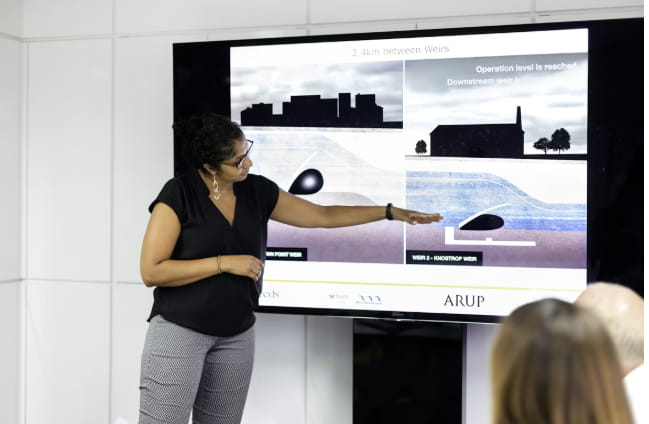
Look at the final slides of the presentations that you have seen and liked. Most of the time, they are straightforward and concentrate on only one concept. Such slides assist the audience in grasping your primary argument and it becoming their memory. The aim is for the slide to act as a brief refresher of your communication. In case someone comes across it later, they ought to recall the gist and the reason for it being significant. Continue being transparent and concentrating on the main idea, without any additional information that might divert attention away from it.
What Are the Types of Presentation Conclusions?
There is no ideal method of closure. Various events, listeners, presentation types, and various points you wish to emphasize all require different ideas to create impactful presentations. One of the endings below can be used individually, or a combination of two can be used according to your purpose and situation.
Summary and Recap
You briefly restate the issue, your key messages, and your main recommendation, which works especially well for project updates, academic or student work, and data-heavy business topics. Keep it tight and to the point: two or three core points are enough – this is not the moment to walk through the entire presentation all over again.
Call to Action
Once the main points have been summarized, it is very crucial to show the way to the listeners what the next step is. Your presentation should prominently feature the following:
- What you want the audience to decide;
- What action you want them to start or stop;
- How and when that action should happen.
This structure helps make sure your message is clear and that the audience understands exactly what steps they should take. It’s effective in settings like sales decks, internal proposals, investor pitches, or any presentation where you want your audience to take action.
Powerful Quote
Finish with a short, powerful quote that backs up your point. It’s a great way to inspire your team, spark a change in mindset, or tie your message to something bigger, like leadership or innovation. Keep it brief—just one line—and ensure it directly connects to your main idea in your words.
Thought-Provoking Question
Rather than dropping the final line, you yourself exit by posing a question that lingers in their thought and slightly extends the audience’s engagement. For instance, “How would your team be different if you implemented this starting next month?” or “What will be the consequence if we refuse to take action on this within 90 days?” Such a fashion is effective when your intention is to confront existing beliefs and stimulate people to continue thinking after the meeting has finished, not only when the slides are being shown.
Surprising Fact or Statistic
When learning how to end a PowerPoint presentation, you can close with one striking number that sums up the stakes or opportunity.
For example, “With this process, teams cut rework by 50%” or “Each week of delay costs us about 42,000.” A single, concrete figure like this makes the message feel real and urgent, not vague or abstract.
Inspirational Closing Slide
In this type of ending slide, you create a short, positive picture of what happens if people follow your idea. You pull everything together in a few sentences – the problem, the solution, and the future state you’re aiming for, so you can stand confidently in front of the room and leave a lasting impression. This works especially well in all-hands meetings, strategy launches, and conference keynotes.

Humorous Remark
When it grows naturally out of your story or examples, it builds an emotional connection, especially if you maintain eye contact while delivering the line. This approach works well in team updates, student presentations, and less formal business settings. In high-stakes board meetings, however, keep it very light.
13 Tips on How to End a Presentation the Right Way
The following are 13 effective tips on how to ensure that the final presentation comes together smoothly and not in a rush. They’ll help you plan your presentation step by step, so you always know what to say and do in the last minutes. Use them as a checklist before every talk to keep your close clear, confident, and easy for your audience to remember.
1. Loop Back to Your Opening
In order to summarize your speech, you should make reference to the story you have started, show again the first picture, or give the answer to the very first question. This, in effect, closes the loop and leaves the audience with a neat, rounded impression of the talk, particularly if it involves going back to a gripping story.
2. Say Your “One Big Idea” Out Loud
Write your core message in a single, simple sentence and place it near the end – something like “If you remember one thing today, let it be this…”. This makes your key idea easy to repeat, share, and build the rest of the conversation around.
3. Build a Simple Visual Summary
Your final slide should always serve one main purpose: to remind people of what matters and make it easy for them to take action. It’s not just for decoration—it’s the last visual your audience will see and often the first thing they’ll screenshot or save. Keep it simple and practical. Include:
- 2–4 short bullet points with the key takeaways
- One next step or call to action
- Your name and contact details or link
4. Use the Rule of Three
Put your recap into three simple buckets, for example, where we are, where we want to be, and how we get there – or problem, options, and recommendation. Use the same three labels at the beginning, in the middle, and again at the end so your structure feels clear and easy to follow.
5. Make Your Call to Action Specific
Replace vague phrases like “Let’s think about this” with clear next steps, such as “I’m asking for approval for a 90-day pilot” or “Please decide by Friday.” This removes uncertainty and gives your audience clear actions and deadlines. Reinforce this by displaying the same call to action on your summary slide, so people are both aware of and see it.
6. Plan Q&A Into Your Close
Incorporate the Q&A as part of your close, rather than treating it as something separate from your talk. Planning the flow helps you stay in control of the message right up until the end presentation, instead of losing focus after the Q&A. A simple structure to follow is:
- Short recap;
- Q&A (“Before I finish, let’s take a few questions, then I have one more point I want to share.”);
- 20–30 second closing statement.
7. Bring Your Own “Starter Question”
If nobody wants to go first, have a question ready, such as “Which part would be hardest to apply in your team?” or “What’s one risk you see if we choose this plan?”. Let them discuss briefly, then share – it warms up the room, encourages people to answer questions, and usually leads to a stronger discussion.
8. Script Your Final Lines
It is not necessary to have a full script of the entire speech, however, having a couple of lines ready for the end can be of assistance in a situation when nervousness and rambling take over. Write down the last 2-3 sentences to:
- Help the audience recall your main point;
- Repeat your request or suggestion;
- Indicate in a very clear way that the talk is over.
9. Keep Your Body Language Strong to the End
While still talking, don’t start collecting your things. Stay calm and composed, keep on making eye contact with the people instead of looking at your laptop or notes, and let your hands be visible. In case your body language is open and matches your words, you seem to be calm and confident, make a strong effect, and change the audience’s mood towards you and your message – even if inside you are nervous.

10. Tailor Your Ending for Executives
For senior leaders, clearly linking your summary to business outcomes is crucial when you create a business presentation. Name the specific decision they need to make and spell out the consequences if nothing changes. They require clarity more than detail, especially at the conclusion.
11. Adapt for Online Talks and Slide Decks
When wrapping up a PowerPoint presentation on Zoom or in a shared deck, focus on having a clear headline on the last slide, such as “Next step: Approve 90-day pilot,” along with one main link or QR code. Include a brief written close that reinforces your call to action, making it easy for your online audience to move from listening to taking action with just one click or tap.
12. Use Visuals that Support your Point
Just one picture, icon, or tiny diagram can make a deep memory and can be your message helper much more than a slide full of elements. Employ visual aids that are simple to understand at a look and lead to the involvement of the people; in case it takes more than a few seconds to grasp, make it easier—the end is definitely not the moment for your most complicated chart.
13. Create Your Own Closing Checklist
Create a small checklist that you can reuse for every talk, so you’re not starting from scratch each time. Keep it handy in your slide template or notes, and update it as you improve your presentation endings. Include:
- One-sentence big idea
- Three key points
- Summary and call to action on the final slide
- Q&A planned before the close
- Final 2–3 sentences scripted
Key Mistakes to Avoid
To end your talk effectively, watch out for these common mistakes. Even a strong presentation can lose its impact if you rush, clutter your conclusion slide for presentation, or let the Q&A go off track. By keeping these in mind, you can fix them quickly and finish strong:
- Finishing abruptly: Don’t just say “That’s it” after your last slide. Let the audience know you’re wrapping up.
- Adding new points at the end: Stick to summarizing. Avoid introducing new ideas or slides at the end.
- Using a simple “Thank you” screen: Make your final slide work for you. It should reinforce your message, not just show a logo.
- Overloading the final slide: Too much text makes it hard to follow. Keep it simple.
- Letting Q&A take over: Take control after the questions and finish with your words.

Example Phrases to Help Conclude Your Presentation
You don’t need complicated language to close a presentation effectively—clear, straightforward phrases work best. Below is a simple table to help you with different situations during your conclusion, showing both good and bad examples for each:
| Situation | Good Example | Bad Example |
| Finishing your talk | “I’m now coming to the end presentation.” | “I’m almost done.” |
| Summarizing your points | “Let’s quickly recap the three main takeaways.” | “Let me just repeat everything I said.” |
| Introducing a CTA | “Here’s what I’d like you to do next.” | “I don’t know what happens next, but something should.” |
| Moving into Q&A | “I’ll pause here for questions, then I’ll close with a brief final thought.” | “Ask anything, I guess.” |
| Closing after Q&A | “Thank you for the questions. Let me end with one last reminder.” | “Okay, I’m done. Thanks for listening.” |
Don’t Know How to End a Presentation? Let Us Handle It!
Still unsure how to wrap up your presentation in a polished and professional way? You don’t have to figure it all out on your own. A smart AI presentation generator like Decksy can take your ideas and instantly turn them into a clear story with a strong ending. The final slide will be clean, on-brand, and easy to act on, while ensuring the slides work well both live and as an exported PDF. You provide the know-how, and the AI converts it into a deck that connects with your audience and accomplishes the task on your behalf, saving you from expensive agency fees and long wait times.
FAQ
Should I Ask Questions at the End of Presentation?
Yes. Audience questions show interest and give you the chance to clarify any points. Just allow a few minutes after the Q&A to rephrase your key message and outline the next steps.
Should I end the Presentation with a Q&A Session?
It’s better to place the Q&A earlier in your presentation. Try this flow: recap, followed by Q&A, then a short final statement. After that, it’s up to you to wrap it up.
How Can a CTA Improve the Conclusion of My Presentation?
A call to action turns a good presentation into real action. It clearly tells your audience what to do next, whether that’s approve, test, sign up, share, or make a change. You can even target the most confident-looking person in the room to help encourage others to follow suit.
What Should Be on My Last Slide?
Make things simple: 2-3 key takeaways, one obvious next move, and your name, along with a contact or website. In case you are creating conclusion slide examples, don’t forget that it should be legible not only on a big screen but also in a phone screenshot.

On Decksy.com, where people come looking for clarity wrapped in a bit of personality, Julia leans into the details that make a message land: the pause between two ideas, the subtle shift in spacing, the moment a visual finally clicks.