







How to Do an Outline for a Presentation with Examples and Tools
- Understand how a good structure keeps the audience engaged
- Learn about frameworks and templates that make outlining easier
- Learn to create and organize content
We often find ourselves uninspired, staring at the blank page of a PowerPoint, not exactly sure which direction to go. Even the most experienced professionals can hit writer’s block. This happens when there is no clear plan, no blueprint for clarity. That is why a structured presentation outline is useful.
It keeps things clear and allows us to present our findings with an easy flow from introduction to conclusion. Without it, the audience might lose focus before we get the message across. In this article, we will explore ways a good structure can help get messages across and improve flow.
What Is a Presentation Outline?
Whether we are about to give a lecture at a university, give a meeting, or do a sales pitch, a strong presentation outline helps keep things organized and better captivate the listeners. The following guide will demonstrate how to easily build and implement one successfully.
Using proven presentation skills and a frame of work, it is easy to develop a simple yet powerful template. This will ensure that every segment is coherent and that each part is inspiring, informative, and persuasive. Here is an outline slide example that is practical, easy to follow, and easy to adapt:
| Slide Outline | Selection | Time | Content |
| 1 | Introduction | 2 min | Hook, Agenda, Goal |
| 2-4 | Context, Problem | 5 min | Supporting Facts, Research data |
| 5-8 | Solution, Ideas | 7 min | Main points, Supporting data, Visual proof |
| 9 | Discussion | 3 min | Address comments, questions |
| 10 | Closing statements, CTA | 3 min | Key takeawaysActionables |
The above outline slide example gives teams a reliable format to write presentations quickly. For more inspiration, it is worth checking out library guides that have proven guides for easier planning.
Top Reasons why You Need to Start with an Idea and a Strong Outline
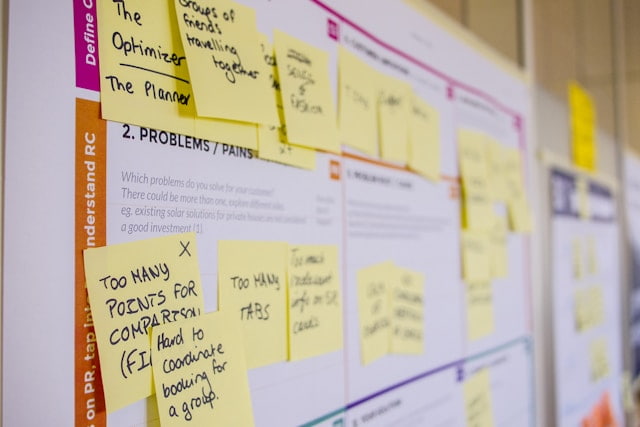
A strong outline of presentation helps organize segments, prepare for questions, and keep a logical flow throughout. This structure will keep your audience interested and informed. Here are some of the main benefits:
- Boosts Confidence. Knowing the order allows for flow and easier, more powerful delivery.
- Saves Time. Starting with a clear, concise structure cuts the time of preparation significantly.
- Improves Collaboration. The outline allows for a quick skim-through and helps address anything that is missing before it is too late.
- Connect and Spark Engagement. Explain why this matters. Make it more powerful by adding information that the audience can relate to.
This structure can make it easier to prioritize and solve problems on time, increasing chances of success. It can also help you organize your thoughts. Whether the goal is to educate, motivate, collaborate, or sell.
Write a Winning Presentation Outline – Steps and Skills
Once we establish the basics, let’s move on to the specifics. Breaking the plan down to clear, actionable items will help deliver every time. An outline presentation example can come in handy. Following the next points will drive results regardless of the type of presentation:
-
Define the Goal and Connect With The Target Audience
It is worth starting by asking: What do we want the audience to take away from this? Define the topic, thesis, and desired outcome (for instance: educate, persuade, or sell). Make sure also to cater to the listeners’ needs. Once the core needs are identified, the path becomes that much more straightforward. If we create a framework this way, the message will get through to the audience and keep their attention from the first slide to the last.
-
Choose a Compelling Outline Template
Finding a structure that fits the occasion is just as important. It could be based on problem-solution dynamics. Or an agenda. Perhaps based on a story arc to motivate and inform the audience. Compare the relevant options and see what works best for the meeting at hand. Then formulate the core: introduction, body, and summary. Slides for a 20-minute presentation, for instance, will be limited to 2-5 main points. Our article on the topic could be useful when preparing for similar lengths.
-
Break Down Sections Logically
The sections should follow a logical order. Map out key parts and build a visual outline for presentation. Include an introduction, a body, and a conclusion. Here is an example of a leadership presentation:
| Slide Outline | Section | Content Focus |
| 1 | Hook + Agenda | Problem statement + Goal |
| 2-5 | Main Ideas | 3 points + Data in PowerPoint |
| 6 | Leadership presentation insights | Team motivation tactics |
| 7 | Closing statements | Call to action |
-
Create a Basic Presentation Outline With Effective Supporting Points
Add visual elements and transitions. This will create a flow. Check if it feels organic and seamless. “Does this segment lead to the next one naturally?” Add reference fun facts and information that complements the main point. Writing a summary will make the presentation easier to follow as well.
-
Review, Relate, and Rehearse
Check if the draft needs something you missed. When ready, share it with peers for feedback. Add to or remove parts if necessary and get to rehearsing. Check the amount of time it will take to deliver the entire speech. It is often overlooked how important it is, not just to have a powerful draft but to polish skills as well. Nothing beats delivering a speech with drive, purpose, and passion.
The above framework helps create outline presentation examples that work. If in need of a pro polish, an AI presentation generator can do the heavy lifting. Our smart AI presentation platform helps boost efficiency and outcomes, even for complex scientific, medical, and investment presentations.
Tips and Tools That Help Enhance the Presentation Outline

We accelerate presentation outline example creation with proven methods that streamline the process. These handle it all, from brainstorming to the formatting of the final version. This way, it is easy to save time while maintaining professional quality.
PowerPoint Outline View and Templates
PowerPoint’s built-in Outline View lets us build one instantly. Just type in the desired points directly, and convert them to slides. Here is an outline for a PowerPoint presentation example in case of a quick sales deck:
- Slide 1: Hook and Agenda
Informative opener using statistics and a 3-part preview.
- Slides 2-3: Highlighting the Problem Using Examples
For instance, mention audience pain points and support issues at hand using market data.
- Slides 4-7: Proposed Effective Solution
Showcase the product demo, adding supporting data in PowerPoint.
- Slide 8: Closing statement
Summarize the presentation, articulate a call to action, and open the floor for discussion.
Digital Collaboration Tools that Connect Teams
- Miro/Mural:
Visual whiteboards for team brainstorming. Simply drag and drop your visual elements, texts, and more, and begin building.
- Notion:
A smart database-style platform. Combines templates with smart scheduling and customizable features.
Final Tips to Create an Outline and Structure
They need to be polished with proven tactics. These will elevate their delivery and boost their impact. With the help of these final tips, the outline can help craft an empowering performance that will engage and captivate the listeners:
- Adapt to the Audience:
The focus and structure need to be customized to the crowd at hand. For instance, if a presentation is given to executives, a great key point will be discussing ROIs, as they indicate the state of matters from their main potential interest.
- Use Emotional Hooks:
Use stories that are relatable. This will keep your listeners interested. Keeping them interested through tension and resolution is very powerful.
- Timing:
Precision is just as important as anything else in the process of creating a coherent and powerful presentation. Stick to 1-2 minutes per slide maximum.
- Rehearse With Real Data:
Test timing using data in PowerPoint. See our article for visualization mastery. These tips will turn good ideas into great ones. Powerful presentations that will motivate people to take action. Need expert execution? Explore how Decksy’s AI presentation generator instantly structures and designs scientific, investment, and medical decks with just a few prompts.
Frequently Asked Questions
What Makes a Good Outline of a Presentation Example?
A strong presentation outline can make all the difference. Using clear structure, timed slides, and key points that support and bind well to each other. This allows it to better connect with people. See our outline slide example for a universal template.
How to Build an Outline for a Presentation Quickly?
First, identify the goal. Pick a basic presentation outline and add relevant elements. Test the flow. Is it logical? Tools like PowerPoint Outline View speed up the process.
What Is the Best Outline of a Presentation for Leadership Presentations?
In this case, focusing on vision, mission, team motivation, and ROI is a great start. Check out our leadership presentations article for proven templates and strategies.
How Many Slides Should Be in a 20-Minute Presentation?
Since an average slide should not last longer than 1-2 minutes, aiming for 10-15 slides maximum is ideal.
Can Decksy’s AI generate Scientific Presentations?
Yes, our AI presentation generator instantly turns complex scientific ideas and data into transparent visuals that win people over.
Can I use Decksy for Medical Presentations?
Yes, our smart AI engine handles clinical data, patient results, and regulatory visuals with precision, generating secure and compliant medical decks in seconds.
Can the AI build Investment Presentations?
Decksy’s AI crafts pitch decks that secure funding by instantly generating ROI-focused outlines and captivating visual storytelling.

On Decksy.com, where people come looking for clarity wrapped in a bit of personality, Julia leans into the details that make a message land: the pause between two ideas, the subtle shift in spacing, the moment a visual finally clicks.