


star

AI Word to PowerPoint Converter

Turn your Word document into stunning PowerPoint slides

Produce professional PowerPoint slides within seconds. Upload your document, choose a design style, and let AI convert Word to PPT for immediate use. Say goodbye to starting from a blank page; our artificial intelligence handles the heavy lifting.
Convert Word to PPT

Easily convert Word to presentation with AI

Our AI presentation maker will do all the work, converting your Word files into professional presentations without any manual formatting or design effort from you. Whether you want to convert Word to PowerPoint or optimize text structures, this AI presentation tool eliminates all formatting issues.

Step 1: Import your Word document

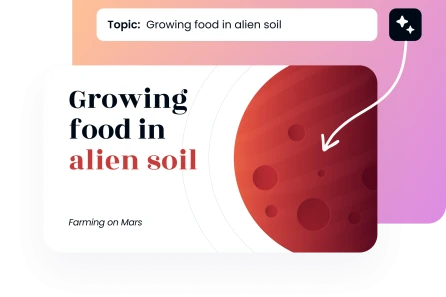
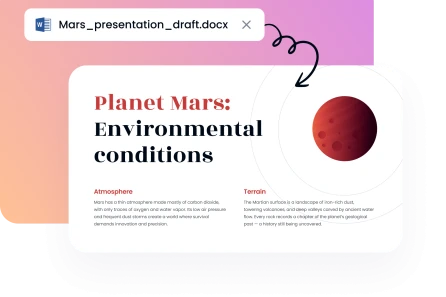
Drag and drop your DOCX or DOC file into the designated area. You can upload your Word text by dropping a DOCX file or simple DOC files directly. The Word to PPT AI tool immediately will analyze your document structure and content to prepare for slide generation and extract key details.
Create Presentation
Step 1: Import your Word document

Step 2: Choose your preferences

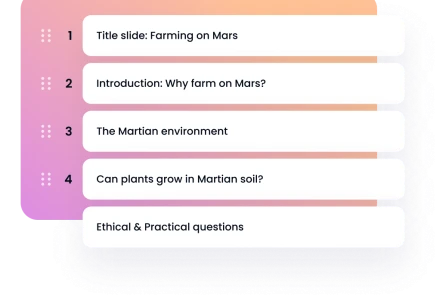
Select your presentation tone (Formal, Casual, Persuasive, or Educational). Choose your style (Professional; Creative; Minimal; Corporate; Academic; Startup Pitch) and the number of slides you require, between 5 and 25 slides. Our presentation builder configures everything into a well-organized layout.
Create Presentation
Step 2: Choose your preferences

Step 3: Pick a template

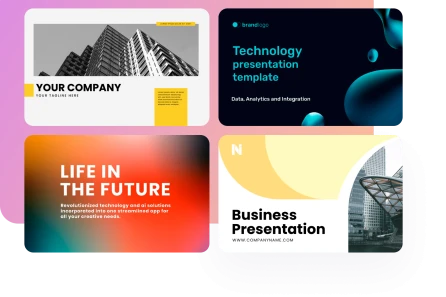
Search our large collection of professional templates. Select a design template that suits your content and purpose to achieve visual consistency and maximum impact across your presentation deck. Our professionally designed templates transform raw text into visually appealing graphics.
Create Presentation
Step 3: Pick a template

Step 4: Download PPT file

Our Word to PPT converter online tool will generate a complete presentation in seconds. Save the PowerPoint file as a PPTx for a seamless export. Open it in Microsoft PowerPoint or Google Slides to make any final changes to your editable slides.

Create Presentation
Step 4: Download PPT file
Trusted by 200K+ users worldwide
image
image
image
image

Our Word to PPT conversion benefits

With Decksy's AI presentation maker and advanced AI tool, you can easily convert Word to PPT. Take advantage of our professional features designed for automated workflows to complete your tasks in record time.
image

Privacy-first approach

Your files stay confidential and encrypted during conversion, so only you can access them at every step of the Word to PPT conversion process.
image

Rapid PPT generation

You can transform Word to PPT rapidly. You’ll be able to save time and concentrate on the perfecting of your message and key points.
image

Intuitive interface

Users of all levels of skills can convert Word docs effortlessly due to clean controls, simple navigation, and built-in shortcuts. No need to manually copy and paste sentences anymore.
image

Designer-quality templates

Browse our extensive collection of template options and high-quality slide decks designed to be clear and visually appealing in any business context. Every professional slide maximizes your reach.
image

Budget-friendly efficiency

Create professional output in less time without outsourcing designers. Turn any text heading or bullet points into gorgeous visual elements to refine your message. You will be able to save time and money.
image

Universal flexibility

Our converter adapts to every purpose, from client pitches to schoolwork. This makes converting documents to PowerPoint the ultimate solution for any new presentation.
Show more

Professional templates for any Word to PPT generation
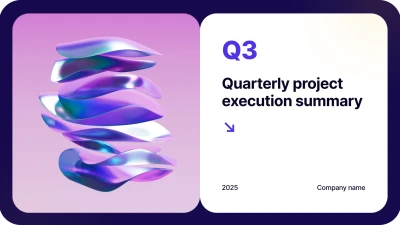
Choose among hundreds of designs in our large template library to make your message impactful. You’re able to transform your Word content into engaging presentations. Each template is brand-consistent and professionally polished throughout the entire deck.

Business
Business
Business
Business
Business
Business
Business
Business
Business
Business
Business
Business
Business
Business
faces

Why users love Decksy's Word to PPT AI tool

Hear from professionals from different industries who transformed their workflow by using our tool to refine their files and effortlessly convert Word document to PowerPoint layouts. Unlike any basic PPT converter with limited features, this platform delivers premium results.
illustration
Automated Our Proposal Workflow
We would spend hours re-formatting reports into presentations. Now we convert Word to PPT, getting decks straight away. The feedback of our audiences has been outstanding and our productivity has increased.
icon
Amanda C., Corporate Strategy Consultant
illustration
Critical to Academic Presentations
Turning research papers into conference slides was a pain. This Word to PowerPoint AI solution extracts key findings automatically and creates clear presentations that make an impact within academic cohorts.
icon
Dr. Robert M., Research Director
illustration
Rapid Campaign Implementation
Our department creates white papers that we need to reuse as presentations. This converter reduces our production time significantly, making it an essential part of our workflow.
icon
Sophia B., Content Marketing Director
illustration
Fundraising Game-Changer
We would have to hire costly designers to transform business plans into pitch decks. This tool assisted me in developing investor-ready presentations based on Word documents.
icon
James F., Startup Founder
illustration
Empowers Students
My students use this tool to turn essays into presentations. This platform is advanced enough to generate results that work well during science fairs and parent nights.
icon
Ms. Laura T., High School Teacher
illustration
Streamlined Training Development
We keep on updating policy documents to use in training presentations. However, we no longer have to spend hours creating manual slides. This converter provides our team with professional materials.
icon
Marcus J., Compliance Officer
Show more

Frequently asked questions (FAQs)

Is it possible to convert Word documents with complicated formatting?

When converting Word documents, our system works with text, images, tables, charts, lists, and pdf references. Our intelligent PPT AI developed on advanced algorithms builds well-structured presentations intelligently, keeping the information hierarchy, presentation format, and readability intact to preserve the text value.

Is my Word document information secure during the slide generation?

Yes, absolutely. When you convert Word to PPT, all uploads are encrypted and processed securely. Your data is entirely confidential, and your Word document is erased immediately upon generating the presentation into a professional PowerPoint layout.

What is the number of presentations I can make?

Our free plan gives you one full PowerPoint presentation a day. To have unlimited access to our AI tool, subscribe to our premium plan. Try our Word to PPT platform today and experience an ai-powered tool that converts your document into a professional presentation. Just input your document and let the automation design perfect slide decks instantly!
Get started

Create a presentation using our AI tools at the speed of thought

Create AI presentation