AI PowerPoint Generator

Generate professional AI presentations in no time for any topic

Create polished, ready-to-share slides fast with an AI PPT maker that understands your style

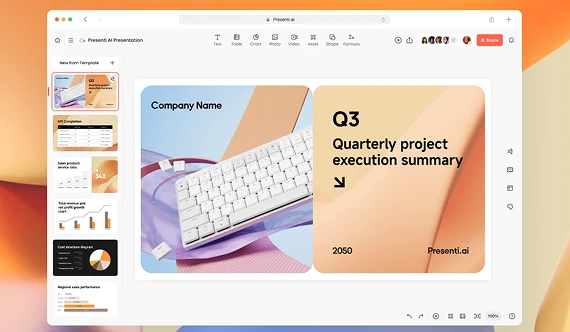
Simple AI PowerPoint maker for all your needs

Turn your ideas into a PowerPoint presentation that is memorable. Get access to our AI features that take care of all the content creation and professional design automatically.

From topic to PowerPoint Presentation

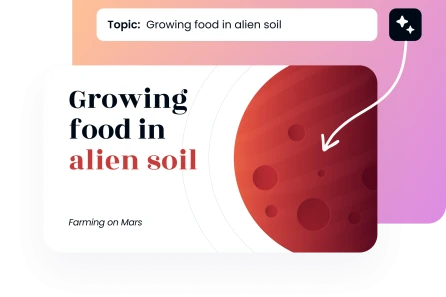
Simply type any topic and watch our AI PowerPoint creator come up with a complete presentation. Remember to give details regarding the content of the presentation, and the number of slides wanted.
Generate Presentation
From topic to PowerPoint Presentation

Transform text into AI generated slides

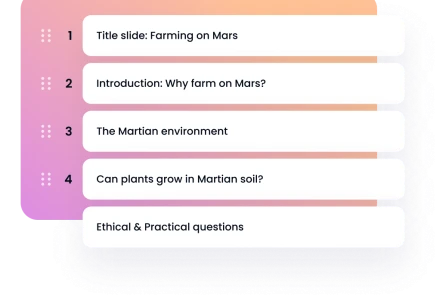
Paste your outline, notes, or full paragraphs to create PowerPoint with AI. Turn plain text into visually appealing slides. The AI retains your structure and tone, and organizes information into stunning slides.
Generate Presentation
Transform text into AI generated slides

Convert documents to PPT with AI

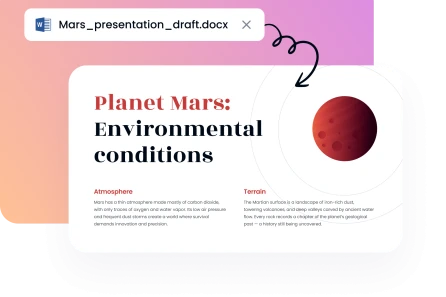
You can upload any Word or PDF file on our platform and immediately generate AI presentation slides. Our AI generated PowerPoint presentation tool organizes the most important information into a coherent, professional slide deck.
Generate Presentation
Convert documents to PPT with AI

PowerPoint generator with professional templates

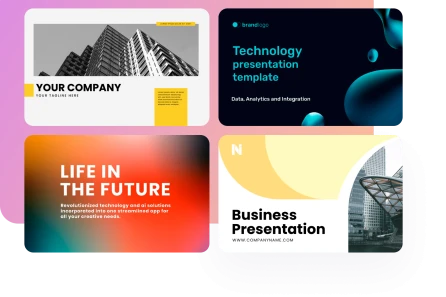
Select a theme from our extensive template library, and a style that suits your content. Every template will make your AI generated PPT look and feel visually consistent across the entire presentation.

Generate Presentation
PowerPoint generator with professional templates
Trusted by 200K+ users worldwide
image
image
image
image

Easy-to-use AI for creating PowerPoint presentations

1

Enter your topic or upload document

Write a prompt or upload your file. By doing this, you can automatically create PowerPoint with AI.
2

Choose a presentation style

Choose a template in the AI PowerPoint generator that fits your content and purpose of presentation.
3

Download & present

Select and download your favorite version of the PowerPoint presentation. It’s ready for you to use it.
image
image

Why choose our AI presentation generator?

Explore the benefits of AI.Decksy in your presentations. Artificial intelligence takes care of every aspect, and you can concentrate on your ideas and story.
image

Fully secure

Your projects remain confidential and can only be accessed by you. Your information is encrypted at any given time.
image

Time saving

You can concentrate on perfecting your message thanks to our fast presentation generation. You’ll save hours of work.
image

Easy to use

Our AI presentation maker has no learning curve, since it is accessible with intuitive controls and clean interface.
image

Ready-to-use professional designs

Browse our collection of layouts conceived by designers to be easy to understand, and have the greatest visual effect.
image

Quick, affordable solution

Deliver professional outputs x10 faster. It'll take you just a few clicks. You won’t have to employ costly designers.
image

Adapts to every scenario

Ideal in client pitches, sales decks, training, or student projects. Our AI for PowerPoint solution fits every purpose.
Show more

AI PowerPoint generator designed for all your needs
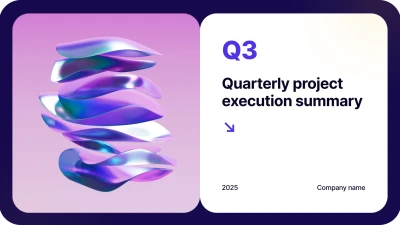
You can be a corporate professional, an educator, or a student, but you can be sure that we have you covered. Our AI for PowerPoint presentation gives you exactly what you need.

Business
Business
Business
Business
Business
Business
Business
Business
Business
Business
Business
Business
Business
Business
faces

Why users love AI.Decksy's AI PPT maker

Hear from professionals who transformed their workflow with our AI PPT generator that saves time and simplifies design. Client presentation game-changer.
illustration
Client presentation game-changer
Our team used to put a lot of effort into pitch decks, but now we create interesting presentations within minutes. They are high quality and our audiences are always impressed.
icon
Sarah M., Sales Director
illustration
Ideal in academic lectures
I prepare several lectures each week, and this tool has completely transformed my preparation routine. The AI comprehends complicated subjects and organizes them in a logical manner for students.
icon
Dr. James R., University Professor
illustration
Saves our marketing team time
We create campaign presentations every day. This AI PowerPoint creator greatly reduces our turnaround time and consistently applies our brand identity throughout the entire deck.
icon
Emily C., Marketing Manager
illustration
Amazing when it comes to startup pitches
As a startup founder, I require stunning presentations within a short time to impress investors. With a single click, this tool allowed me to raise our Series A funding.
icon
Michael T., Founder & CEO
illustration
My class loves it
I showed my students how to create PowerPoint using AI in their projects. It’s easy to use and yet advanced enough to create college-level presentations.
icon
Anna K., High School Teacher
illustration
Transformed our training material
As HR training facilitators, the development of training decks was our blocking point. We can now create entire new presentations within record time for employee onboarding sessions and workshops.
icon
David P., HR Training Specialist
Show more

Frequently asked questions

Is it possible to edit the AI slides once they are generated?

Yes, you can. You just need to download your presentation in the standard PPT file format to be able to edit it in Microsoft PowerPoint or Google Slides. You’ll have complete formatting control.

What file types can I upload to make presentations?

With our AI presentation tool, you can convert the following file formats into PowerPoint presentations: Word (DOC, DOCX), PDF, PowerPoint (PPT, PPTX), Excel (XLS, XLSX), plain text (TXT).

How many slides can your solution produce when creating AI presentations?

When setting up your presentation on our online editor, you can choose the number of slides you require, from 5 and up to 25. The AI will organize your content accordingly.

Am I safe when using this AI tool?

Yes, absolutely. Any documents uploaded and presentations generated are private and encrypted. We do not share, store long-term, or use your high-quality contentif not to create your presentation.

Is it possible to tailor the tone and style of my presentation?

Yes, you can configure the tone of voice (Formal; Casual; Persuasive; Educational) prior to the creation of the presentation. Similarly, you have the option of selecting a design from our template library that will best suit your high-quality content and purpose. You can also determine the presentation style (Professional; Creative; Minimal; Corporate; Academic; Startup Pitch).

What’s the difference between this and making presentations with ChatGPT?

ChatGPT provides text that you must manually format into slides. On the other hand, our free AI PowerPoint generator creates files that are ready to download and use for your presentations.

Am I required to have design skills to make professional presentations?

No, not at all. Our AI PowerPoint presentation generator handles all design decisions for you. You can completely concentrate on the content, as we make it look engaging.
Get started

Create a presentation using AI at the speed of thought

Create AI presentation